
The web is evolving, and with the latest advancements, AI is no longer confined to cloud-based servers. Chrome is leading the charge by integrating powerful AI capabilities directly into the browser, making it easier than ever for developers to build intelligent, responsive, and user-friendly websites.
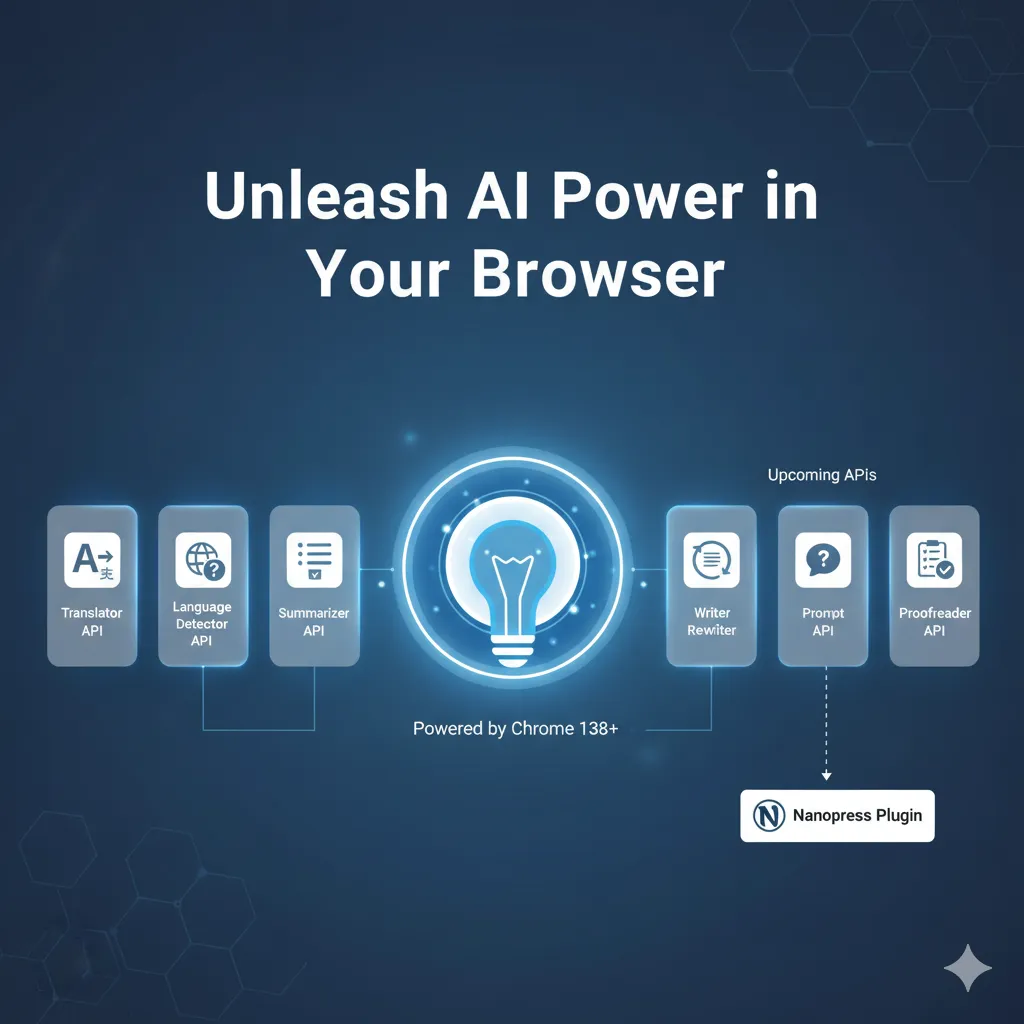
With Chrome 138, we’ve seen the exciting release of several game-changing AI APIs: the TranslatorAPI, the Language Detector API, and the Summarizer API. But that’s just the beginning! We’re also looking forward to upcoming APIs like the Writer API, Rewriter API, Prompt API, and Proofreader API, which promise to further revolutionize web development.
Let’s dive into what these APIs offer and how you can start using them today.
Currently Available with Chrome 138:
1. TranslatorAPI: Breaking Down Language Barriers
Imagine a website that instantly translates its content for every visitor, regardless of their native language. The TranslatorAPI makes this a reality. It leverages Chrome’s built-in translation engine to provide high-quality, on-device translations, eliminating the need for external services or complex integrations.
How to Use it:
The Translator API uses a class-based approach. First, check for support using if ('Translator' in self), then use the asynchronous Translator.create() method to instantiate a translator object, specifying the source and target languages. Translation is then performed by calling the translate() method on that instance.
async function translateText(text, sourceLang, targetLang) {
  if ('Translator' in self) {
    try {
      // 1. Create a translator instance for the specific language pair
      const translator = await Translator.create({
        sourceLanguage: sourceLang,
        targetLanguage: targetLang,
      });

      // 2. Perform the translation
      const translatedText = await translator.translate(text);
      return translatedText;
    } catch (error) {
      console.error("Translation failed:", error);
      return null;
    }
  } else {
    console.warn("Translator API not supported in this browser.");
    return null;
  }
}

// Example usage: Translate from English ('en') to Spanish ('es')
translateText("Hello, world!", "en", "es").then(translated => {
  if (translated) {
    console.log("Translated to Spanish:", translated); // Output: Hola, mundo!
  }
});Code language: JavaScript (javascript)
2. Language Detector API: Knowing Your Audience
Before you can translate, you often need to know what language you’re dealing with. The Language Detector API provides a simple yet powerful way to identify the language of a given text, allowing you to tailor content or trigger translations appropriately.
How to Use it:
Similar to the Translator API, you first check for support with if ('LanguageDetector' in self) and then use LanguageDetector.create() to get a detector instance. The detect() method returns a list of ranked language candidates with confidence scores.
async function detectLanguage(text) {
  if ('LanguageDetector' in self) {
    try {
      // 1. Create the detector instance
      const detector = await LanguageDetector.create();

      // 2. Run the detection
      const results = await detector.detect(text);

      // The results are ranked. Return the most likely language.
      if (results.length > 0) {
        return results[0].detectedLanguage;
      }
      return 'undetermined'; // Undetermined
    } catch (error) {
      console.error("Language detection failed:", error);
      return null;
    }
  } else {
    console.warn("Language Detector API not supported in this browser.");
    return null;
  }
}

// Example usage:
detectLanguage("Ceci est un test.").then(lang => {
  if (lang) {
    console.log("Detected language:", lang); // Output: fr
  }
});Code language: JavaScript (javascript)
3. Summarizer API: Getting to the Point
In today’s fast-paced digital world, users often want information quickly. The Summarizer API is a fantastic tool for generating concise summaries of longer text, helping users grasp the main points without having to read an entire article.
How to Use it:
The process involves checking for if ('Summarizer' in self), creating a summarizer instance with Summarizer.create(), and then calling the summarize() method with your long text. You can configure the type, format, and length of the summary during creation.
async function summarizeText(text) {
  if ('Summarizer' in self) {
    try {
      // 1. Define options for the desired summary (e.g., key-points, medium length)
      const options = {
        type: 'key-points', // Can be 'tldr', 'teaser', 'key-points', or 'headline'
        length: 'medium'
      };

      // 2. Create the summarizer instance
      const summarizer = await Summarizer.create(options);

      // 3. Generate the batch summary
      const summary = await summarizer.summarize(text);
      return summary;
    } catch (error) {
      console.error("Summarization failed:", error);
      return null;
    }
  } else {
    console.warn("Summarizer API not supported in this browser.");
    return null;
  }
}

// Example usage:
const longText = "Artificial intelligence (AI) is intelligence demonstrated by machines, unlike the natural intelligence displayed by humans and animals. Leading AI textbooks define the field as the study of 'intelligent agents': any device that perceives its environment and takes actions that maximize its chance of successfully achieving its goals. Colloquially, the term 'artificial intelligence' is often used to describe machines (or computers) that mimic 'cognitive' functions that humans associate with the human mind, such as 'learning' and 'problem-solving'.";

summarizeText(longText).then(summary => {
  if (summary) {
    console.log("Summary:", summary);
    /* Output example for key-points, medium:
     - AI is intelligence demonstrated by machines.
     - Defined as the study of intelligent agents.
     - Colloquially, it mimics human cognitive functions like learning.
    */
  }
});Code language: JavaScript (javascript)
Upcoming AI APIs: What’s on the Horizon?
Chrome’s AI journey is just beginning. We can look forward to even more sophisticated tools that will empower developers to create truly intelligent web experiences:
- Writer API: Generate human-like text for various purposes, from blog post drafts to product descriptions.
- Rewriter API: Refine and improve existing text, offering suggestions for better clarity, tone, and conciseness.
- Prompt API: Provide a way to interact with large language models, enabling dynamic content generation and conversational interfaces.
- Proofreader API: Catch grammatical errors, spelling mistakes, and stylistic inconsistencies, ensuring polished and professional writing.
These upcoming APIs will unlock an entirely new level of creativity and efficiency for web developers, bringing advanced AI capabilities directly to the browser.
Real-World Application: Nanopress WordPress Plugin
To illustrate the practical power of these APIs, let’s look at a fantastic example: the Nanopress WordPress plugin (available on GitHub: https://github.com/milindmore22/nanopress). This plugin demonstrates how easily you can integrate Chrome’s built-in AI capabilities into a production website.
Nanopress leverages the Translator API, Language Detector API, and Summarizer API to add powerful features to WordPress sites:
- Site Translations: Using the Translator API and Language Detector API, Nanopress can offer on-the-fly, client-side translations of your entire website. Visitors can seamlessly view your content in their preferred language without server-side processing, making your site truly global.
- Blog Post Summaries: With the Summarizer API, Nanopress can automatically generate concise summaries of your blog posts. This allows readers to quickly get the gist of an article before diving into the full text, improving user engagement and accessibility.
By integrating these features, Nanopress makes websites more accessible, user-friendly, and engaging, all powered by the efficiency and privacy of Chrome’s on-device AI.
Chrome’s built-in AI APIs represent a significant leap forward in web development. They empower developers to create more intelligent, inclusive, and efficient web experiences directly in the browser, reducing latency, enhancing privacy, and simplifying development.
As these APIs continue to evolve, we can expect a new generation of web applications that are more responsive, personalized, and intuitive than ever before. Start experimenting with these APIs today and be a part of shaping the future of the web!